Using the Proxy
To use a proxy, you need to configure the connection settings in your system or application. Here are the steps to follow:
1. Get Connection Information
You will need the following information:
- Proxy IP address
- Proxy port
- Credentials
- Protocol (HTTP/HTTPS/SOCKS5)
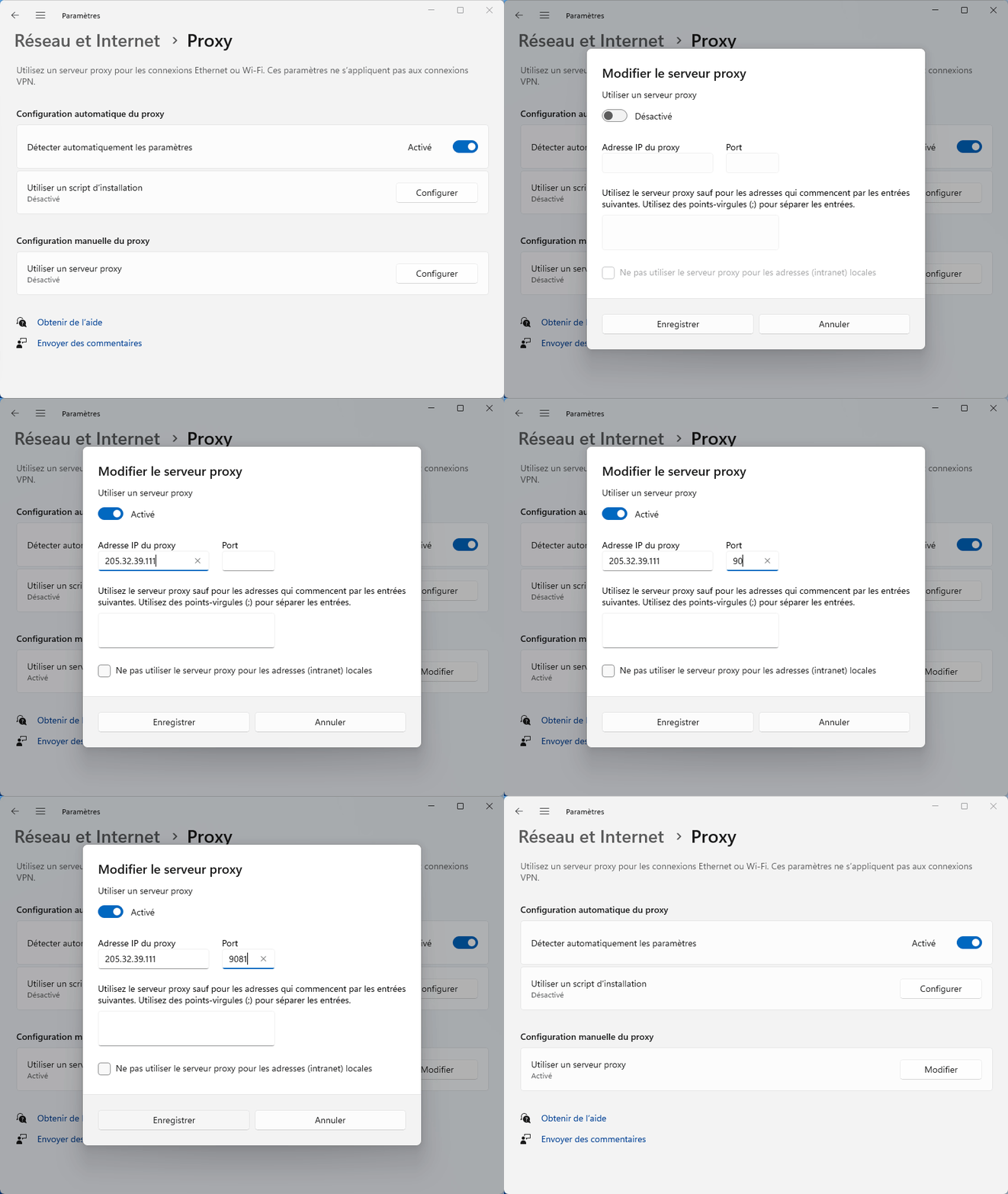
2. Windows Configuration
- Open Windows Settings
- Go to Network & Internet > Proxy
- Enable "Use a proxy server"
- Enter the IP address and port
- Click Save
3. Connection Verification
To verify that your proxy is working:
- Visit whatismyip.com
- Check that your IP address has changed